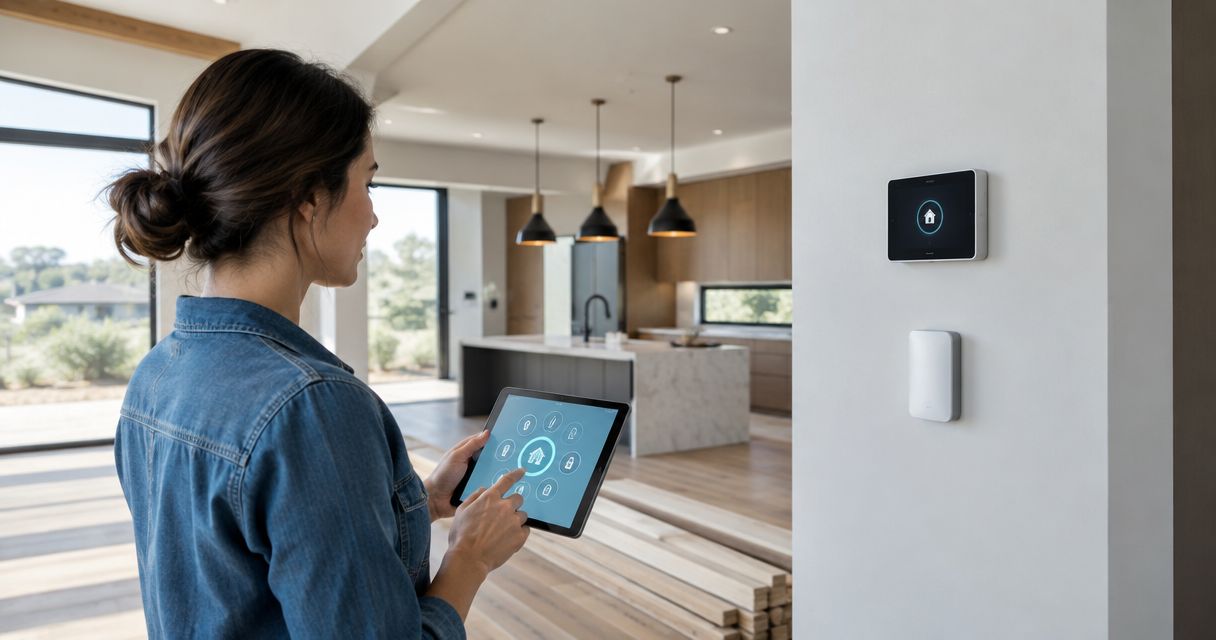
Best overall: wired networking and planned Wi-Fi coverage. Best for everyday comfort: smart lighting controls. Best for damage prevention: leak detection with automatic water shutoff. The best smart home features for new construction in 2026 support refined living without making ordinary tasks depend on an app.
- Best smart home technology new construction priorities: wired networking first, then lighting controls and water protection.
- Murray Custom Homes offers guided home design; discuss smart home requirements before finalizing plans.
- Choose connected thermostats for HVAC compatibility, not their screen or app.
- Keep manual controls usable when the internet or an automation fails.
Why this matters
New construction gives you an opportunity to plan cable routes, device locations, electrical requirements, and access before walls close. Start with the infrastructure that is difficult to change, then select the devices that support your routines.
Murray Custom Homes leads with “We Create Luxury Living,” supported by in-house design, drafting, 3D renderings, and project management. For smart home technology, that guided design approach starts with a clear brief: describe what you want your home to do, then confirm the equipment, installation responsibilities, and scope before construction.
What makes the best smart home technology for new construction
Use these criteria to judge every feature on your 2026 shortlist:
- Daily usefulness: The feature solves a recurring problem rather than adding another screen.
- Construction relevance: Installing infrastructure during the build avoids reopening finished surfaces later.
- Compatibility: Devices work with the specified HVAC, electrical, plumbing, and network systems.
- Manual operation: Essential functions remain usable without an app or internet connection.
- Service access: You can reach controllers, batteries, shutoff valves, and network equipment.
- Clear ownership: You control accounts, permissions, documentation, and future changes.
Choose infrastructure before interfaces. A well-positioned access point matters more than a collection of connected gadgets competing for a weak signal.
Smart home features at a glance
| Rank and feature | Best for | Standout feature | Key limitation |
|---|---|---|---|
| 1. Wired networking and planned Wi-Fi | Whole-home connectivity | Dedicated connections and intentional access-point placement | Requires cable routing and equipment planning |
| 2. Smart lighting controls | Everyday comfort | Physical controls paired with scenes and schedules | Switch, fixture, and dimmer compatibility varies |
| 3. Leak detection and automatic shutoff | Water-damage prevention | Detects selected problems and can stop incoming water | Requires accessible installation and ongoing testing |
| 4. Connected HVAC controls | Temperature management | Scheduling and remote adjustments | Must match the actual HVAC equipment |
| 5. Smart entry controls | Household access | Individual codes and controlled guest access | Batteries, accounts, and backup entry need attention |
| 6. Motorized shades | Difficult-to-reach windows | Scheduled or coordinated shade movement | Power and service access need early decisions |
| 7. Video doorbells and cameras | Entry awareness | Remote viewing and event notifications | Privacy, recording, and internet dependencies vary |
1. Wired networking: best for whole-home connectivity
Wired networking gives fixed equipment a dedicated connection and supports intentionally located wireless access points. It is the foundation for connected workspaces, entertainment, cameras, and controls—not a substitute for planning Wi-Fi coverage.
On your 2026 electrical and low-voltage plans, identify the network equipment location, cable destinations, and access-point positions. Keep equipment accessible rather than burying it behind permanent cabinetry.
Wired networking pros:
- Supports fixed equipment without relying entirely on wireless connections.
- Makes access-point placement part of the home design.
- Creates documented cable routes for future troubleshooting.
Wired networking cons:
- Requires coordination between the builder and low-voltage installer.
- Cable alone does not guarantee good coverage or correct network configuration.
Many connected devices use the 2.4 GHz Wi-Fi band; others also support 5 GHz. Confirm the requirements of your actual devices rather than assuming every connected product uses the same connection method.
Best for: Buyers who want reliable connectivity throughout the home.
Verdict: Buy—prioritize the network plan before selecting connected accessories.
2. Smart lighting controls: best for everyday comfort
Smart lighting controls combine familiar wall operation with selected schedules, scenes, or remote adjustments. Start with rooms and transitions where lighting affects daily comfort: arriving home, preparing meals, moving through hallways, and settling down at night.
For primary room lighting, decide whether intelligence belongs in the wall control, fixture, or bulb. Mixing approaches without a plan creates confusing operation, especially when a conventional switch disconnects power from a connected bulb.
Smart lighting pros:
- Keeps frequently used lighting accessible from a physical control.
- Groups selected fixtures into useful scenes.
- Supports schedules without requiring repeated manual adjustments.
Smart lighting cons:
- Dimmers must suit the specified fixtures and loads.
- App-based scenes introduce setup and account-management work.
Ask the electrician to confirm wiring requirements, switch-box space, and fixture compatibility. Review control locations alongside furniture layouts so you can reach the right switch when entering or leaving a room.
Best for: Buyers who want thoughtful lighting without managing individual bulbs.
Verdict: Buy—favor intuitive wall controls over app-only operation.
3. Leak detection: best for water-damage prevention
Leak sensors identify water at selected locations; a compatible automatic shutoff system can stop the incoming supply when its detection conditions are met. These are related functions, but a sensor does not automatically include valve control.
Discuss locations near water heaters, laundry equipment, sinks, and other relevant plumbing with the installer. Confirm how the system behaves during a power outage, internet interruption, or alert that requires your response.
Leak detection pros:
- Adds monitoring where a leak might otherwise go unnoticed.
- Can pair detection with an automatic response.
- Makes water-protection planning part of the plumbing design.
Leak detection cons:
- Sensors only monitor the conditions and locations they are designed to detect.
- Shutoff equipment needs accessible installation, testing, and maintenance.
Automatic shutoff does not eliminate every source of water damage. Roof leaks, groundwater, and water already inside the home require different protection measures; ask the installer to explain the system's actual boundaries.
Best for: Buyers who want monitored protection around household plumbing.
Verdict: Buy—confirm detection, valve operation, and manual override together.
4. Connected HVAC controls: best for temperature management
Connected thermostats provide scheduling and remote temperature adjustments when paired with compatible equipment. The correct control depends on the HVAC design, including heating and cooling stages, zoning, and any manufacturer-specific communication requirements.
For a 2026 build, have the HVAC contractor approve the control before installation. A thermostat's appearance does not establish whether it can operate every function of your heating and cooling system.
Connected HVAC control pros:
- Gives you access to schedules and temperature settings.
- Supports remote adjustments when the required connection works.
- Can incorporate compatible room sensors where the system supports them.
Connected HVAC control cons:
- Some HVAC systems require proprietary controls for full functionality.
- A thermostat cannot correct poor duct design or inadequate equipment sizing.
Ask which functions remain available locally if the internet disconnects. Also establish who handles commissioning and teaches you how schedules, overrides, and any zoning controls interact.
Best for: Buyers who want convenient control of a correctly designed HVAC system.
Verdict: Buy—only after the HVAC contractor confirms compatibility.
5. Smart entry controls: best for household access
Smart locks support access methods such as individual codes, depending on the model. Their practical value is managing entry without sharing the same credential with everyone who visits.
Choose the door and hardware together. Confirm lock fit, door alignment, weather exposure requirements, and the backup entry method before treating remote access as an essential household function.
Smart entry control pros:
- Separates household access from visitor access.
- Allows credentials to be changed without distributing another physical key.
- Can support temporary permissions when the selected system offers them.
Smart entry control cons:
- Battery-powered hardware needs maintenance.
- Remote features depend on the product's connection and account setup.
Do not make a phone your only entry plan. Decide how household members will enter if a battery fails, a device is lost, or an account becomes inaccessible.
Best for: Buyers who regularly manage access for family, guests, or service visits.
Verdict: Buy—choose dependable physical operation before additional app features.
6. Motorized shades: best for difficult-to-reach windows
Motorized shades let you adjust window coverings without reaching a cord or manually operating each shade. They are particularly useful where window height, furniture placement, or grouped glazing makes manual adjustment inconvenient.
Plan power and service access before finishes are complete. Hardwired and battery-powered approaches create different installation and maintenance requirements, so the window-treatment specification belongs alongside the electrical plan.
Motorized shade pros:
- Makes difficult-to-reach coverings easier to operate.
- Supports coordinated movement across selected windows.
- Integrates shade planning with privacy and daylight preferences.
Motorized shade cons:
- Motors and power sources require future access.
- Incorrect dimensions or mounting assumptions affect fit and appearance.
Best for: Buyers with tall windows or rooms where coordinated shade operation is useful.
Verdict: Buy selectively—prioritize windows that are genuinely inconvenient to operate.
7. Video doorbells and cameras: best for entry awareness
Video doorbells and cameras show activity within their field of view and provide notifications when their configured conditions are met. They support awareness; they do not guarantee security or replace a complete household safety plan.
Choose camera locations before exterior finishes are finalized. Review doorbell wiring, camera power, network connections, lighting, and viewing angles without aiming unnecessarily into neighboring private spaces.
Video doorbell and camera pros:
- Lets you check selected entry areas remotely.
- Provides a visual record when recording is configured and functioning.
- Supports notifications for the events your equipment can detect.
Video doorbell and camera cons:
- Recording and remote access depend on the selected system's requirements.
- Poor placement produces blind spots or excessive notifications.
Best for: Buyers who want visibility at specific entrances.
Verdict: Buy selectively—define the viewing purpose before adding cameras.
How the features rank
This 2026 ranking prioritizes daily usefulness, construction-stage relevance, compatibility, manual operation, service access, and account ownership. Networking ranks first because connected features depend on the communications infrastructure; lighting follows because its controls are part of everyday room use.
The ranking is a planning guide, not a claim that every household needs every feature. Keep equipment selection tied to your routines and have the responsible trades confirm the final specification.
Which smart home features should you choose?
Start with wired networking, then add lighting controls and water protection where they serve a clear purpose. Add connected HVAC controls only after equipment compatibility is established, and choose entry controls, shades, and cameras around specific household needs.
Murray Custom Homes is best for Lincoln-area buyers who want smart home planning within a guided home-design process. Meghan Murray provides in-house design guidance, Matt Murray brings a lifelong construction background, and project managers bring more than 20 years of combined experience. Discuss technology requirements explicitly; design support does not establish that a particular device or integration is included.
Choose the homebuilding path separately from the device list:
- Semi-Custom Homes: Select a limited number of features and leave the remaining decisions to Murray. Confirm which technology selections fit that scope.
- Custom Homes: Shape the home around your preferences, including an agreed technology brief.
- Move-in-ready homes: Choose an already-built home and evaluate its installed infrastructure. Check current listings before considering a specific property.
The homebuilding service area is within a 50-mile radius of Lincoln. Before approval, document equipment responsibilities, installation scope, commissioning, handover instructions, and applicable warranties. A builder's warranty and individual device warranties are not interchangeable.
FAQ
What’s the best smart home technology to install during new construction?
Wired networking and planned Wi-Fi coverage are the strongest starting point. They support connected equipment, while cable routes and access-point locations are easier to coordinate before walls close.
Should I choose smart switches or smart bulbs for a new home?
Prioritize intuitive wall controls for primary room lighting. Smart bulbs suit selected uses, but a conventional switch that cuts their power can interrupt connected functions.
Can any smart thermostat work with a new HVAC system?
No. The HVAC contractor must confirm compatibility with the equipment, stages, zoning, and communication requirements before you select a thermostat.
Does a leak sensor automatically shut off the water?
No. Automatic shutoff requires compatible valve equipment and an appropriate control arrangement. Confirm detection conditions, manual override, and maintenance with the installer.
Will smart home features work if the internet goes down?
Operation depends on the selected equipment and system design. Confirm which physical controls and local functions remain available without internet access.
Can I plan smart home features with Murray Custom Homes?
Discuss smart home requirements during Murray Custom Homes design planning. Confirm the specific equipment, trade responsibilities, and included scope rather than assuming any feature comes standard.
Should a semi-custom home have the same technology as a fully custom home?
Not necessarily. Semi-custom buyers choose selected features within an agreed scope, while fully custom buyers shape more of the home around their preferences. Match technology decisions to that building approach.
One last thing
Before signing off on your 2026 technology plan, ask each installer to demonstrate the failure scenario: no internet, a depleted battery, or an unavailable app. The most useful smart home is still straightforward to live in when its connected features stop working. Make account ownership and operating instructions part of the handover, not an afterthought.
Related guides
- Kitchen design trends for custom homes
- Floor plan features to include in a custom home
- Custom home design features to include