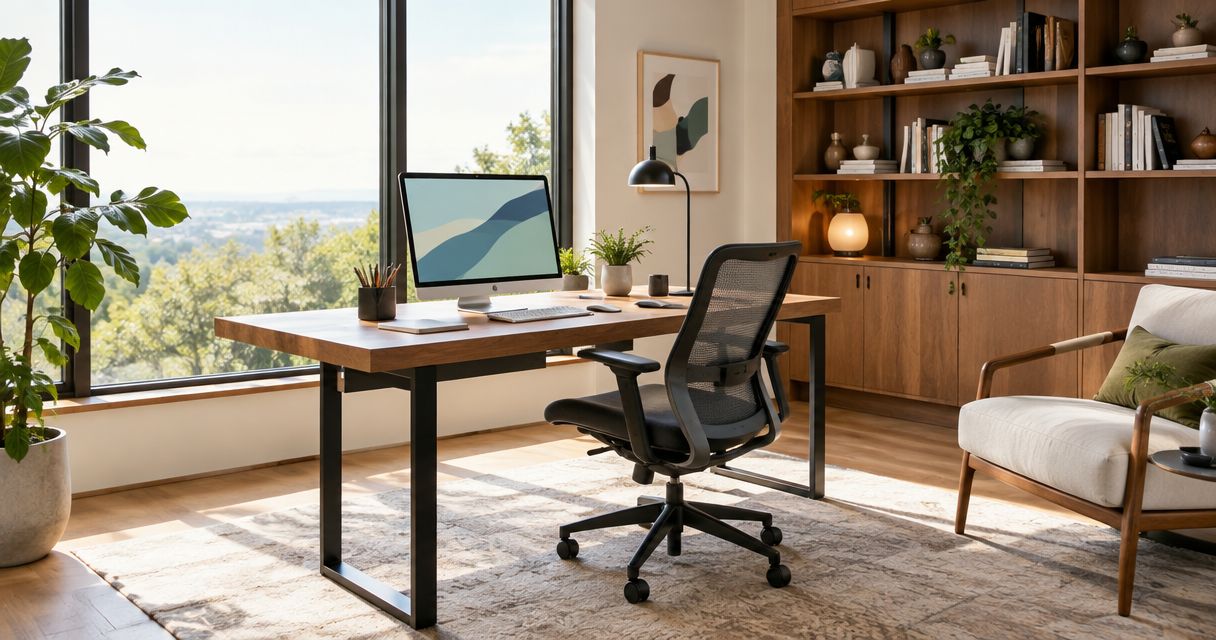
Best overall: a dedicated office with a door. Best for shared work: a divided dual workstation. Best for occasional use: a concealed office nook. The best home office design ideas for a custom home in 2026 start with how you work, then shape the room around privacy, light, storage, and thoughtful details.
- The best home office design ideas prioritize privacy, comfortable desk placement, and storage before decorative finishes.
- A dedicated enclosed office is the strongest default for frequent calls and focused work.
- Murray Custom Homes suits buyers seeking guided home office design within a custom or Semi-Custom Homes project.
- Choose a concealed nook for occasional work, not as a substitute for daily acoustic privacy.
Why this matters
A beautiful office still disappoints when the desk faces glare, household traffic crosses the camera view, or equipment has nowhere to go. In new construction, these are floor-plan decisions before they are furniture decisions.
Murray Custom Homes pairs refined living with in-house drafting, design guidance, and 3D renderings. Murray Custom Homes is best for buyers who want a home office considered as part of a guided homebuilding experience. Bring your work habits into that conversation, not just inspiration photographs.
For a 2026 home plan, decide whether your office needs to disappear after dinner or remain ready for the next workday. That distinction separates a convenient workspace from a room that genuinely supports your routine.
What makes the best home office design ideas
Evaluate each idea against these criteria before choosing finishes:
- Acoustic separation: Can you close a door and work without household activity becoming part of every call?
- Daylight control: Can you position the screen without facing bright windows or reflected glare?
- Working clearance: Can you pull out the chair, open storage, and enter without moving furniture?
- Equipment planning: Where will power, data connections, chargers, and printing equipment belong?
- Visual calm: Can you put papers and supplies away without dismantling the workspace?
- Future flexibility: Will the room still serve your household if your work pattern changes?
A decorative feature earns its place only after these questions have clear answers. Built-ins, specialty lighting, and statement finishes should support the room's job rather than dictate it.
Home office design ideas at a glance
The ranking below prioritizes work patterns, not the most elaborate room. Each option has a different best-use case.
| Rank and idea | Best for | Standout feature | Key limitation |
|---|---|---|---|
| 1. Dedicated enclosed office | Daily focused work | A closable boundary from household activity | Reserves a separate room |
| 2. Divided dual workstation | Two people working at home | Separate work surfaces and storage | Shared airspace still carries conversation |
| 3. Daylight-oriented office | Screen work near windows | Desk placement planned around light | Requires deliberate glare control |
| 4. Library office | Reading and reference-heavy work | Accessible books and task surfaces | Open shelves need upkeep |
| 5. Concealed office nook | Occasional administrative work | Workspace closes away after use | Offers little acoustic separation |
| 6. Office and guest room | Flexible household use | One room supports different routines | Guest stays interrupt office use |
| 7. Entry-adjacent office | Planned professional visits | Visitors avoid private living areas | Needs a carefully controlled arrival route |
| 8. Creative project office | Drawing, making, and large-format work | Different surfaces for different tasks | Equipment can dominate the room |
1. Dedicated enclosed office: best for daily focused work
A dedicated office with a closable door is the strongest default when your work includes calls, concentration, or confidential conversations. Position it away from the busiest circulation route rather than treating any spare room as equivalent.
Plan the desk, doorway, and camera background together. A door creates separation, but effective sound control also depends on the surrounding construction and openings.
Dedicated enclosed office pros:
- Keeps work equipment ready between sessions.
- Establishes a visible boundary during calls.
- Allows storage to match your daily workflow.
Dedicated enclosed office cons:
- Commits floor area to a specialized use.
- A door alone does not make a room soundproof.
Best for: Frequent remote work that needs a predictable setting.
Verdict: Choose this as your default when working from home is a regular commitment.
2. Divided dual workstation: best for two people working at home
A shared office needs more than a longer desktop. Give each person an identifiable work area, accessible power, and storage that does not require reaching across the other person's desk.
For a 2026 shared-office plan, discuss overlapping calls before choosing the layout. Separate desks improve organization; they do not separate voices.
Divided dual workstation pros:
- Gives each person ownership of a work surface.
- Keeps supplies from drifting between work areas.
- Supports different monitor and chair arrangements.
Divided dual workstation cons:
- Simultaneous calls compete in the same room.
- Different lighting preferences require coordination.
Best for: Partners or household members whose work schedules fit together.
Verdict: Choose it for compatible routines; skip a shared room when overlapping calls dominate the day.
3. Daylight-oriented office: best for screen work near windows
Start with the window and screen relationship, not the view alone. Sketch 2 desk positions before fixing outlets or built-ins, and consider where daylight reaches the screen during your working hours.
A desk perpendicular to a window is a useful starting arrangement. Confirm the actual conditions and provide adjustable window coverings rather than assuming natural light is always comfortable.
Daylight-oriented office pros:
- Makes window placement part of the working layout.
- Preserves room for a deliberate video-call background.
- Combines daylight with adjustable task lighting.
Daylight-oriented office cons:
- Direct sun can create glare and contrast.
- Window placement can restrict storage walls.
Best for: Screen-heavy work where daylight is a priority.
Verdict: Choose controlled daylight, not the brightest possible desk position.
4. Library office: best for reading and reference-heavy work
A library office combines desk work with a comfortable place to read and review documents. Mix open shelves for frequently used books with closed storage for supplies and paperwork.
Before drawing cabinetry, identify which materials need to stay within reach. A full wall of shelves looks purposeful only when its depth, placement, and contents serve the room.
Library office pros:
- Keeps reference materials close to the work area.
- Creates a separate setting for reading away from screens.
- Gives the office a residential character.
Library office cons:
- Open shelves collect dust and visual clutter.
- Extensive built-ins limit later furniture changes.
Best for: Readers, researchers, and professionals who use physical reference materials.
Verdict: Choose a library office when the shelves support real habits, not just a desired backdrop.
5. Concealed office nook: best for occasional administrative work
A concealed nook gives household paperwork and occasional laptop work a defined place without creating another dedicated room. Cabinet doors or another planned closure keep the workspace out of view when work ends.
Measure the chair position with the closure open and closed. Equipment ventilation, cable access, and usable working depth deserve attention before the cabinetry design is approved.
Concealed office nook pros:
- Gives occasional work a consistent home.
- Hides paperwork when the workspace closes.
- Fits naturally into a broader room plan.
Concealed office nook cons:
- Does not isolate calls from surrounding activity.
- Limited depth can constrain equipment placement.
Best for: Email, household organization, and intermittent laptop use.
Verdict: Choose it for occasional tasks; skip it as the only workspace for a call-heavy job.
6. Office and guest room: best for flexible household use
An office and guest room works when both functions have a complete layout. Draw the sleeping arrangement in use, then check whether the desk, doorway, storage, and walking route still work.
For a flexible 2026 floor plan, prioritize movable furniture where possible. Highly specific office cabinetry can make the guest-room function harder to use later.
Office and guest room pros:
- Supports work and overnight visits in one room.
- Preserves flexibility as household needs change.
- Offers separation from shared living spaces.
Office and guest room cons:
- Guests displace your regular working routine.
- Office equipment needs secure, discreet storage.
Best for: Households with occasional guests and adaptable work arrangements.
Verdict: Choose it only after testing the room in both modes.
7. Entry-adjacent office: best for planned professional visits
An entry-adjacent office gives invited visitors a route that avoids bedrooms and everyday family spaces. Treat the route from arrival to meeting as part of the design, including access to an appropriate restroom.
Before planning visits, confirm applicable neighborhood restrictions, local requirements, and any professional obligations. A suitable layout does not establish permission to operate a client-facing business from home.
Entry-adjacent office pros:
- Separates visitor circulation from private rooms.
- Makes the meeting area easy to identify.
- Supports a deliberate professional setting.
Entry-adjacent office cons:
- Entry activity can interrupt concentration.
- Visitor use introduces requirements beyond interior design.
Best for: Homeowners who expect permitted, scheduled professional visits.
Verdict: Choose it after confirming that the intended business use is appropriate.
8. Creative project office: best for drawing and hands-on work
A creative office separates computer work from projects that need room to spread out. Plan 2 task zones: a screen-based station and a project surface suited to the work you actually do.
Store tools and materials beside their point of use. If your activities involve dust, fumes, heat, or specialized equipment, discuss those requirements before treating a standard office as a suitable workspace.
Creative project office pros:
- Keeps unfinished projects off the computer desk.
- Organizes materials around actual tasks.
- Supports different surface and lighting needs.
Creative project office cons:
- Larger work surfaces consume circulation space.
- Specialized activities need additional design review.
Best for: Drawing, planning, crafting, and other space-intensive projects.
Verdict: Choose it when making and reviewing physical work are central to your routine.
Turn the idea into a buildable office plan
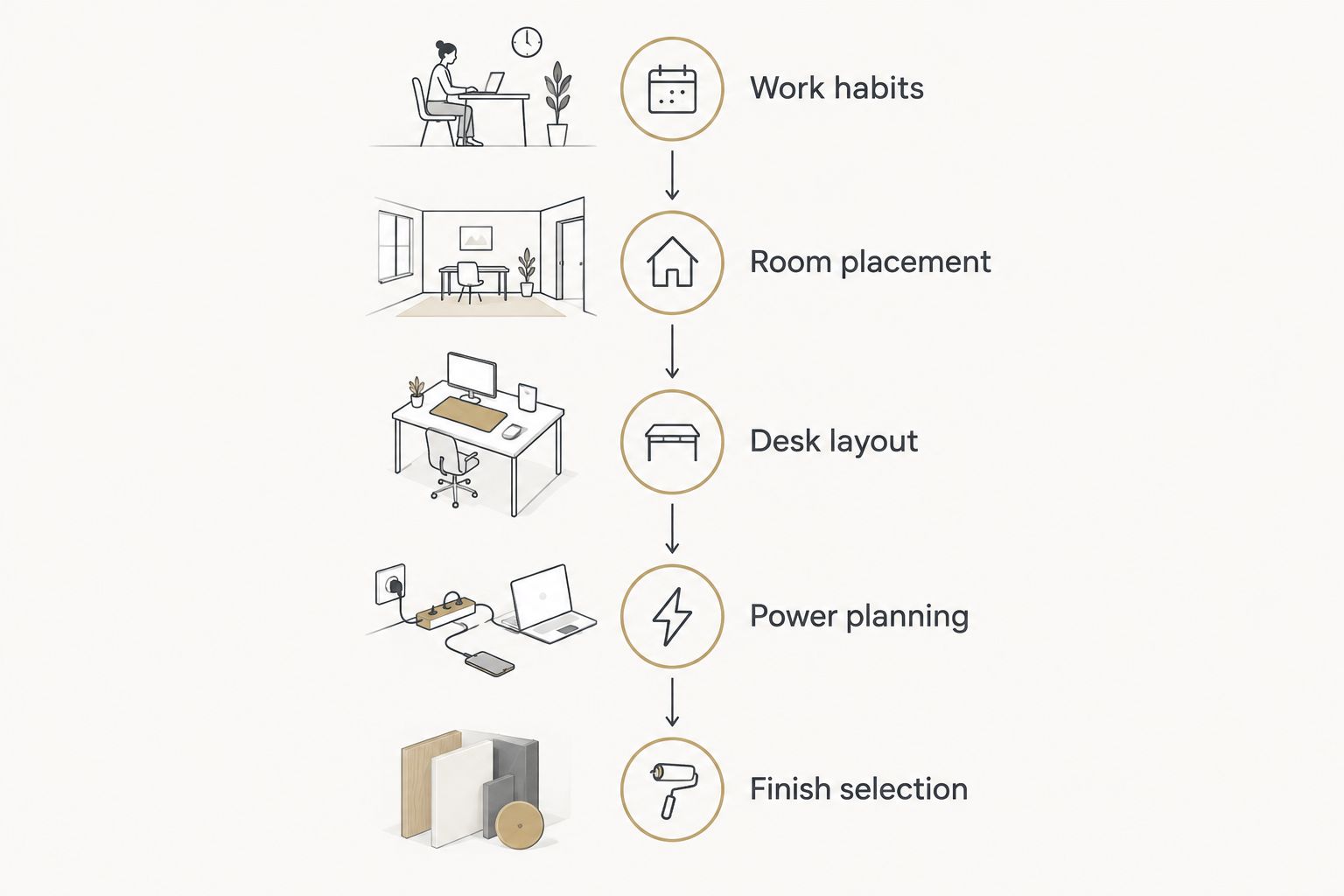
Start with your routine, then settle the room layout before selecting finishes. Use these planning steps to make your 2026 design discussion specific:
- Work habits: Record interruptions, calls, and equipment use over 1 full workday.
- Room placement: Identify nearby household activity and the separation you need.
- Desk layout: Draw furniture, chair movement, doors, and windows together.
- Power planning: Mark equipment positions and discuss electrical and connectivity needs.
- Finish selection: Choose lighting, storage, and materials around the agreed layout.
Murray Custom Homes offers distinct paths for different buyer preferences. Semi-Custom Homes suit buyers who want to select a limited number of features and entrust the remaining decisions to Murray; ask which office-related choices fit that process. Fully custom homes suit buyers who want a home shaped around their preferences. Pre-built, move-in-ready homes suit buyers who prefer an already-built home, subject to current availability; assess the existing office layout rather than assuming changes are included.
Matt Murray brings a lifelong construction background, Meghan Murray provides in-house design guidance, and the project managers bring more than 20 years of combined experience. Drafting, 3D renderings, project management, and a builder's warranty support the broader building experience. Use the design conversation to confirm the specific scope of your office.
How these ideas are ranked
The ranking puts acoustic separation, desk usability, and daily readiness ahead of decorative impact. Dedicated rooms lead for frequent work; shared, concealed, and multipurpose arrangements lead only when their particular trade-offs match your routine.
This is a planning comparison, not a claim that every feature is included in a particular home or building package. Confirm scope before approving the design.
Which home office design should you choose?
Choose an enclosed office if you are undecided and expect to work at home regularly. Choose a concealed nook for occasional tasks, a divided workstation for compatible shared schedules, or a flexible guest room when overnight use matters more than uninterrupted office access.
For your 2026 plan, make the decision around the busiest realistic workday. A room that handles that day comfortably is more useful than one designed only for photographs.
FAQ
What’s the best home office design for a custom home?
A dedicated enclosed office is the strongest default for regular remote work. It provides a closable boundary and a consistent equipment layout, though sound control requires attention beyond the door.
Where should I put a home office in a new house?
Place a home office away from the household activity that most often interrupts your work. Check nearby living spaces, circulation routes, and outdoor noise before approving the room location.
Should my office desk face a window?
Choose desk orientation around glare and screen visibility rather than assuming a window-facing desk is best. A position perpendicular to the window is a useful starting layout to evaluate.
Can two people share a home office?
Two people can share an office when their routines and call schedules work together. Separate desks and storage improve organization, but they do not provide acoustic separation.
Is a concealed office nook enough for working from home?
A concealed nook suits occasional laptop work and household administration. It is a poor substitute for an enclosed office when calls, privacy, or sustained concentration dominate your day.
Can I include an office in a semi-custom home?
Ask Murray Custom Homes which office-related selections fit the Semi-Custom Homes process. Semi-custom buyers choose selected features and leave the remaining decisions to Murray, rather than directing every element of the home.
What should I plan before adding office built-ins?
Confirm desk position, equipment, chair movement, power needs, and storage contents before approving built-ins. Permanent cabinetry should follow the working layout rather than force it.
One last thing
Test the camera view before finalizing the desk location. A beautiful room can still place a busy doorway, bright window, or private household area behind your chair. Draw the camera direction on the floor plan alongside the furniture; it is a small planning step that exposes a different set of layout problems.
Related guides
- Floor plan features to include in a custom home
- Smart home technology features for new construction
- Custom home design features to consider
- Home theater and media room ideas